

Skip to main content
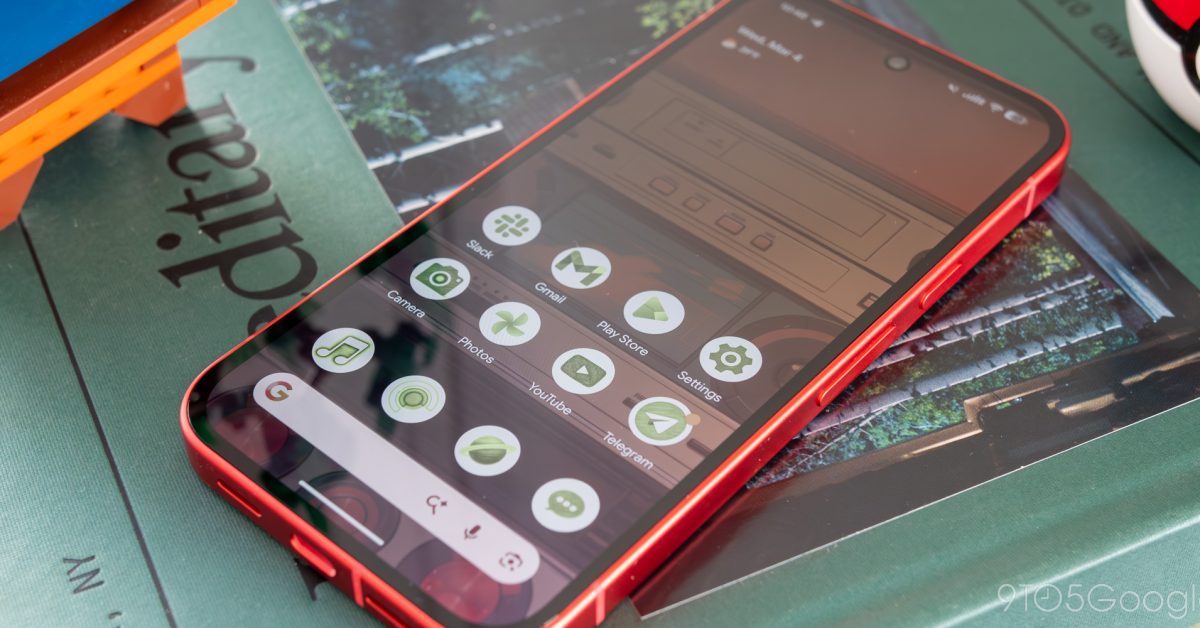
Android 16 In December, Pixel Launcher search was replaced by the Google app. The Android 16 QPR3 March update compounds this design regression by removing the M3 Expressive search bar from the homescreen. Last year, the search bar at the bottom of the Pixel Launcher was updated with Material 3 Expressive. The ‘G’ logo, microphone, and Lens were placed in a container, while the AI Mode shortcut appeared in a circle to the right. Everything was then housed in a pill that offered a lighter background. This redesign is now gone as of Android 16 QPR3, with the old search bar design returning. Everything is placed in a single container, with AI Mode appearing to the left of the microphone. Having three icons side-by-side looks and feels cluttered. The redesign’s separation was one of the best aspects. One functional benefit of this change is how you can long-press on the search bar to customize the AI Mode shortcut. You can now set it to: Live, Translate (text), Song Search, Weather, Translate (camera), Sports, Dictionary, Homework, Finance, Saved, and News. Like before, there’s the ability to disable the shortcut entirely.
Published: March 6, 2026 5:24 pm
Source: 9to5Google — Read original